
Delete a Scenario
Remove a scenario that is no longer needed.
Access requirements
Permission with one of the following capability sets:
-
Planner
-
Plan Administrator
Reach out to your administrator for access.
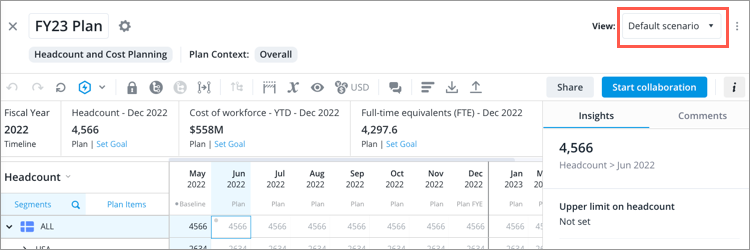
- In the Scenario picker, located in the upper-right corner of the planning grid, select the scenario you want to delete.
-
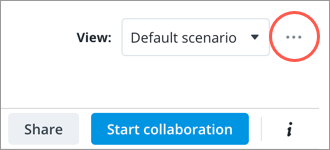
Click the More actions button on the right side of the Scenario picker.
- Click Delete scenario > Delete.
Result: The plan metrics associated with the scenario no longer appear in Explore.